
What an El Paso County Court Docket Shows
A docket is the running event list for a case. In El Paso County, every state court case at the El Paso County Judicial Building generates docket entries as the case moves through court. Filings get docketed. Hearings get docketed. So do continuances, advisements, plea entries, sentencing dates, and most signed orders. The docket is the spine of the case. It does not store the documents themselves, but it shows which document was filed and when. For copies of those filings, a separate record request is needed.
The state's free docket page is the public face of this system. It is maintained by the Colorado Judicial Branch and shared across all 23 judicial districts. The 4th Judicial District handles El Paso and Teller. The El Paso prefilter uses county code 21. Each row of results gives the case number, the case class, the parties, the courthouse, the division, and the next scheduled event date. The case number is the key. A typical El Paso County case number looks like 26CR2237 or 25M7765, with the year, the case class, and a sequence.
Note: The Colorado Judicial Branch docket page is a court-event lookup, not a document portal, so even public files require a separate record request.
How to Search El Paso County Court Dockets
The official docket page sits at the Colorado Judicial Branch. The El Paso County prefilter uses county code 21 in the URL. The form itself warns that at least one filter beyond date is required, and broad date-only searches return an error or the over-5,000-results notice. The screenshot below is taken from the official docket page set to El Paso County, and the steps that follow map directly to the live fields. The source is the Colorado Judicial Branch Docket Search for El Paso County.
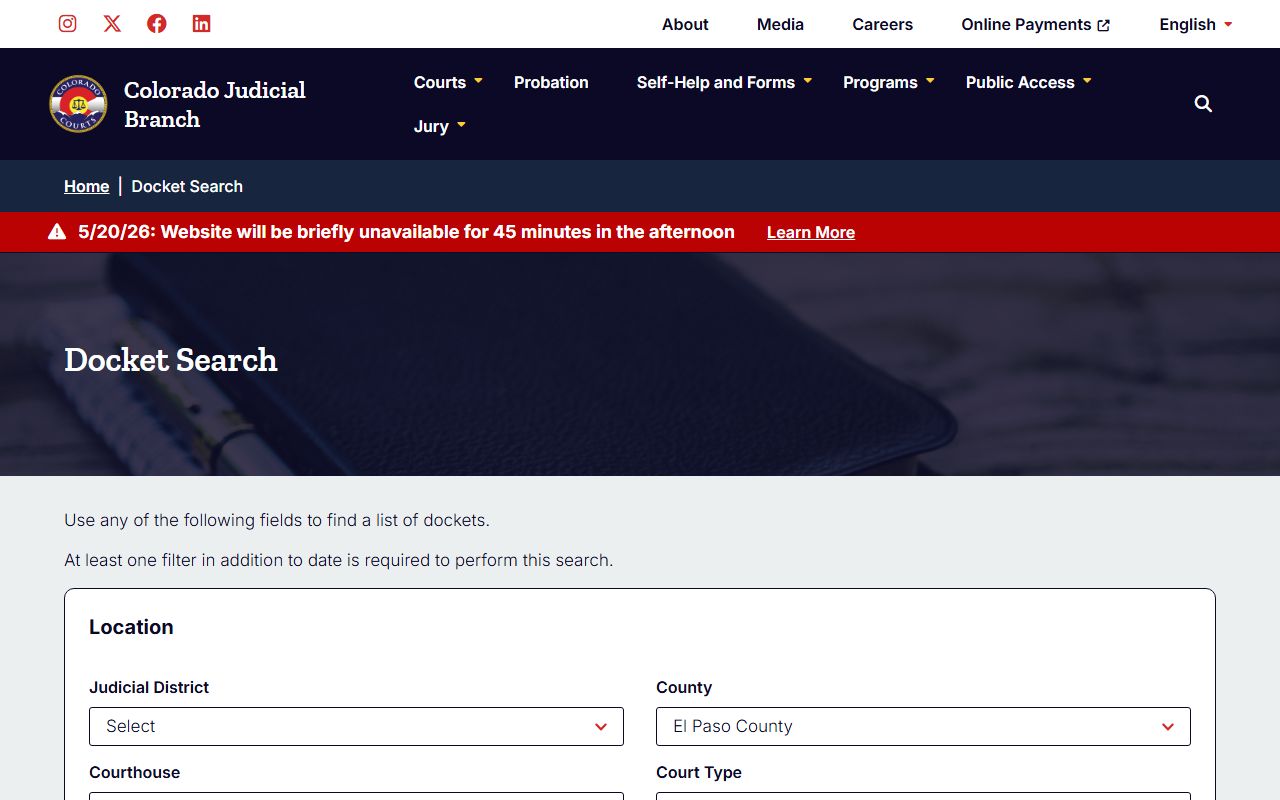
Use that capture as a map. The field set is wide. Most users only need three or four fields. Build the search around what you already know: a case number, a name, or a hearing date listed on a summons. The numbered steps below mirror the live form.
- Open the docket page with El Paso County preselected. The county code is 21 in the URL.
- Keep County set to El Paso County. Keep Courthouse set to El Paso County Judicial Building.
- Pick Court Type. Choose Both if unsure, or pick County or District based on the case class.
- Set Date Range. Today and 1 Week work for court-date checks. Specific Date works when a summons lists one.
- If you have the case number, type the 4-Digit Year, the Case Class letter, and the Case Sequence in the three slots.
- If you only have a name, pick Individual and type First Name and Last Name. Pick Business for company parties and use Business Name.
- If you want to look up by counsel, pick Attorney Name or Attorney Bar Number and fill the right field.
- Hit Search. If the result reads over 5,000 hits, add a tighter date, a court type, or a division.
Sample El Paso County Docket Entry Fields
Each docket row from the El Paso County Judicial Building returns the same core fields. The shape comes from the Colorado Judicial Branch event model. The list below pairs each visible piece of data with what it represents in a 4th Judicial District file. Use it to decode the rows that come back from a name or case-number search.
| Field | What It Shows |
|---|---|
| Case Number | Year, case class, and sequence (e.g., 26CR2237, 25M7765, 19CR2701). |
| Case Class | The letter code identifying the case type, such as CR, M, DR, or PR. |
| Event Date | The hearing, advisement, or court date tied to the entry. |
| Event Type | Advisement, arraignment, motions hearing, trial setting, sentencing, status. |
| Court Type | District or County. Each has its own division at 270 S Tejon St. |
| Division | The numbered or lettered courtroom assigned to the case. |
| Courthouse | El Paso County Judicial Building for in-county cases. |
| Parties | Plaintiff or People of Colorado vs. defendant or respondent. |
| Attorney | Counsel of record by name or bar number for searchable cases. |
| Filing Year | Pulled from the case number; valid from 1873 through 2026 on the request form. |
El Paso County Case Class Codes on the Docket
The Case Class dropdown on the docket page is the fastest way to narrow a search. Each letter or pair maps to a kind of case in El Paso County state court. The list comes straight from the Colorado Judicial Branch docket form. Some codes route to district court. Others route to county court. A few cross both. The table below covers every code visible on the public docket page.
- C: Civil cases in county court, within the statutory dollar limit.
- CR: Felony criminal cases in district court.
- CV: Civil cases in district court, above the county-court cap.
- CW: Civil water cases, handled through the water court division.
- DR: Domestic relations, including divorce, custody, and support.
- JD: Juvenile delinquency cases. Public access is restricted.
- JV: Juvenile dependency and neglect. Restricted under CRS Title 19.
- M: Misdemeanor cases in county court.
- PR: Probate cases, including estates, guardianships, and conservatorships.
- R: Mental health and related restrictive case types.
- S: Small claims cases in county court.
- T: Traffic cases, infractions, and misdemeanor traffic.
El Paso County hosts every one of these classes at the Judicial Building. For deeper detail on what each class contains, see the El Paso County court records page and the District Court overview. The judges-and-staff page lists the division for each class. The official roster is at the Colorado Judicial Branch El Paso County judges and staff page, captured below for reference.
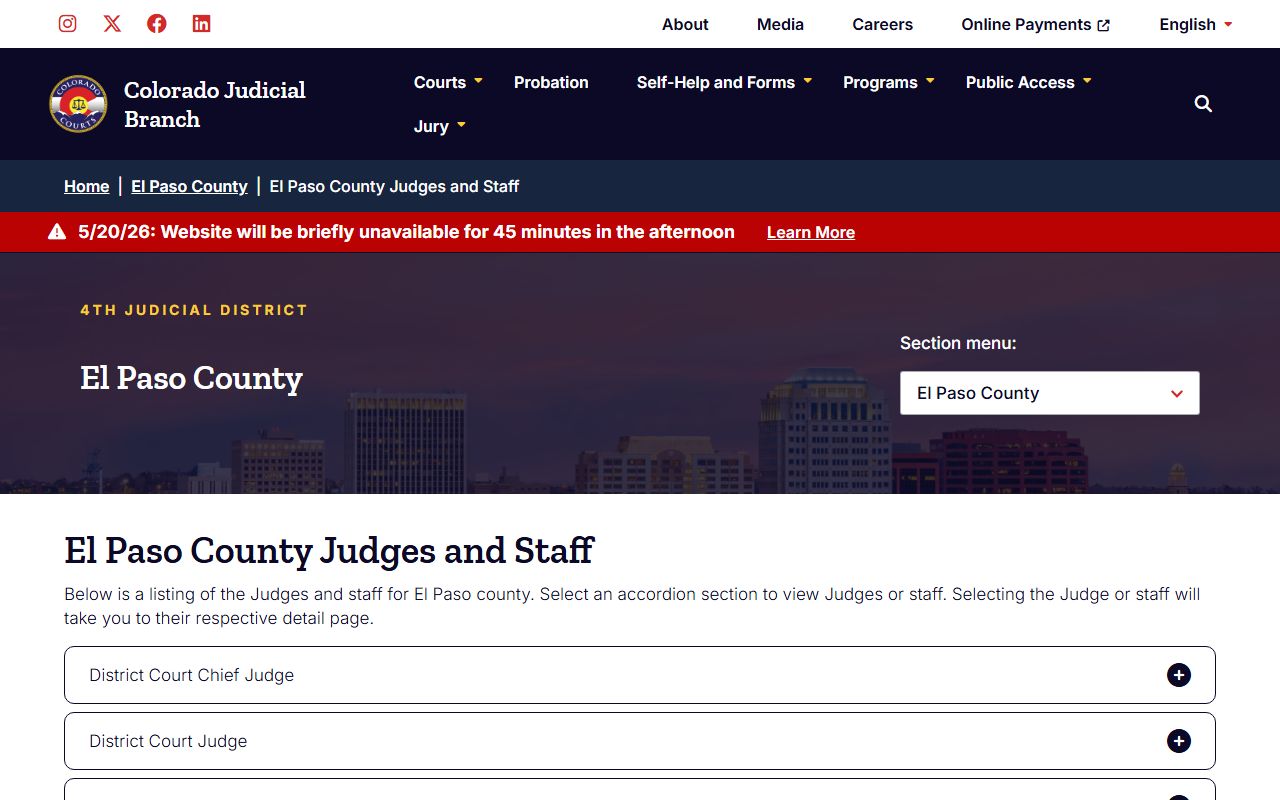
The capture shows the layout of the live page. Use it to match a docket entry to the right division, judge, or magistrate before calling the clerk.
Docket vs. Full Case Record in El Paso County
The docket is not the case file. The Colorado Judicial Branch is clear on this point in its Access Guide to Public Records. The docket is the event log. The case file holds the pleadings, motions, exhibits, orders, and disposition. For the docket, the public uses the free online search. For the file, the public uses the record request form or visits the clerk in Room S101. The two routes serve different needs.
| Docket | Full Case Record | |
|---|---|---|
| What it is | Event list per case | Pleadings, motions, orders, exhibits, disposition |
| Where to get it | Free online docket search | Online record request form, PDF form, or Room S101 |
| Cost | Free | $0.25 per page; $20 per certified document |
| Format | HTML rows on screen | Paper or PDF copies of the filed documents |
| Best use | Confirm a court date or division | Review evidence, appeal, or use in another case |
| Restrictions | Suppressed/sealed cases hidden | Sealed, suppressed, juvenile, adoption restricted by statute or order |
A common workflow is to start on the docket page, read the case number off the result, then submit the online record request form for the documents tied to that case. The form asks for the case number, case type, filing year, county, party names, and the document set you want. Fees apply after the court emails a Notice of Fees.
Courts That Publish El Paso County Dockets Online
Not every court in El Paso County feeds the state docket page. The Colorado Judicial Branch publishes events for the state district and county courts. Municipal courts, federal courts, and tribal courts do not. The list below covers the courts whose dockets appear on the official El Paso County search, and the courts that do not.
- El Paso County District Court: felony criminal, civil, domestic relations, juvenile, probate. Published.
- El Paso County Court: misdemeanors, traffic, small claims, civil within statutory cap, protection orders. Published.
- Probate Division of the District Court: estate and protective proceedings. Published under PR class.
- Recovery Court and DUI Court tracks: events route to the underlying CR or T file and appear there.
- Municipal Court of Colorado Springs and other home-rule cities: not on the state docket page.
- U.S. District Court for the District of Colorado, Colorado Springs: federal docket through PACER, not state.
For an outline of court hierarchy, the District Court page covers each numbered division. For municipal tickets in Colorado Springs, the city court site is the right portal. Federal cases use PACER CM/ECF lookup. The state docket page is the right tool only for state district and county court events.
Reading an El Paso County Docket Entry
Docket entries use short codes and clipped phrases. Once the codes are clear, the events read in plain English. A typical run of entries for a felony case might start with Filing, then Advisement, then Status Conference, then Disposition. Each row carries the date, the courtroom, and a brief tag. Common tags include ADV for advisement, ARRG for arraignment, MOT for motion, ORD for order, CONT for continuance, and DISP for disposition. The court division number ties the case to a judge or magistrate.
Bond data and warrants do not live on the docket. They live in the case file and on the Sheriff side. To check current custody status, use El Paso County inmate records. To check an active warrant, use El Paso County warrant records. To check a traffic citation event, use El Paso County traffic court records. The docket links those three threads together by case number.
Disposition codes tell the outcome. Common entries include Plea Entered, Jury Verdict, Bench Trial Verdict, Dismissed With Prejudice, Dismissed Without Prejudice, Deferred Judgment, Deferred Sentence, and Sentence Imposed. The disposition row does not always carry every term of sentence. For the full sentence order, file a record request.
Note: Suppressed and juvenile cases will not return any docket rows; they are removed at the database layer under CRS Title 19 and CJD 05-01.
Tips for Faster El Paso County Docket Searches
Some searches return too many results. Others miss the case altogether. A few habits cut wasted runs and get the right docket on screen the first time. The list below pulls from the live behavior of the El Paso County docket page.
- Always set a Date Range plus at least one other field. The page rejects date-only runs.
- If the search returns more than 5,000 hits, add Attorney Bar Number, Division, or a tighter date.
- Spell the last name as it appears on the case caption. Hyphens, suffixes, and middle initials matter.
- Check both Court Types. A misdemeanor may file under M in county court while a felony files under CR in district court.
- Use Specific Date when a summons lists a date. The default 1 Week window can miss continuances.
- If a case appears to be missing, check the Sealed Case page first. Automatic sealing under CRS § 13-3-117 removes some cases from public docket view.
For records of a sealed case, the requester must show standing and file under CJD 05-01. The Sealed Case search confirms whether a case is sealed and points to the right path forward. For a non-sealed file, the standard El Paso County court records request route is faster.