
How to Search El Paso County Court Records
The main entry point is the Colorado Judicial Branch Docket Search, prefiltered to El Paso County. It returns court events such as hearings, advisements, and trial settings for both district court and county court cases. The docket page does not give document downloads. For copies, certified dispositions, divorce decrees, registers of action, or probate filings, the public uses the online Record/Document Request Form or the El Paso Combined Court PDF Record Request Form. Walk-in requests are taken in Room S101 at 270 S Tejon St.
Before starting, gather what you know. A case number is best. A common Colorado case number looks like 26CR2237 or 25M7765. The first four digits are the year. The middle letters are the case class. The trailing digits are the case sequence. If you only have a name, get the date of birth or middle name if you can. For broad results, plan to add a date range, a court type, or a party name to narrow your search. Trial-court documents are not posted to the public website by default. The Access Guide to Public Records spells out what comes back online versus by request.
- Open the Judicial Branch Docket Search with El Paso County preselected.
- Keep County set to El Paso and Courthouse set to El Paso County Judicial Building.
- Pick Court Type. Choose Both if unsure, or narrow to County or District based on the case class.
- Set the Date Range. Use Today or 1 Week for court-date confirmation. Use Specific Date if a summons lists one.
- If you know the case number, enter 4-Digit Year, Case Class, and Case Sequence in the dedicated fields.
- If you only have a name, switch to party search and enter First Name and Last Name, or pick Business and enter the Business Name.
- If the search returns over 5,000 results, refine by attorney bar number, division, or a tighter date.
- For copies, certified files, or sealed-case checks, switch to the online record request form. The docket page will not generate documents.
El Paso County Court Records Search Fields
The docket search form has more fields than most state portals. The system tells users that at least one filter beyond date is required, and broad date-only searches will be rejected. The lead-in note on the page reads: use any of the following fields to find a list of dockets. The official capture of the form is shown below, and the field guide that follows mirrors the live page. The shot is from the Colorado Judicial Branch Docket Search set to El Paso County.
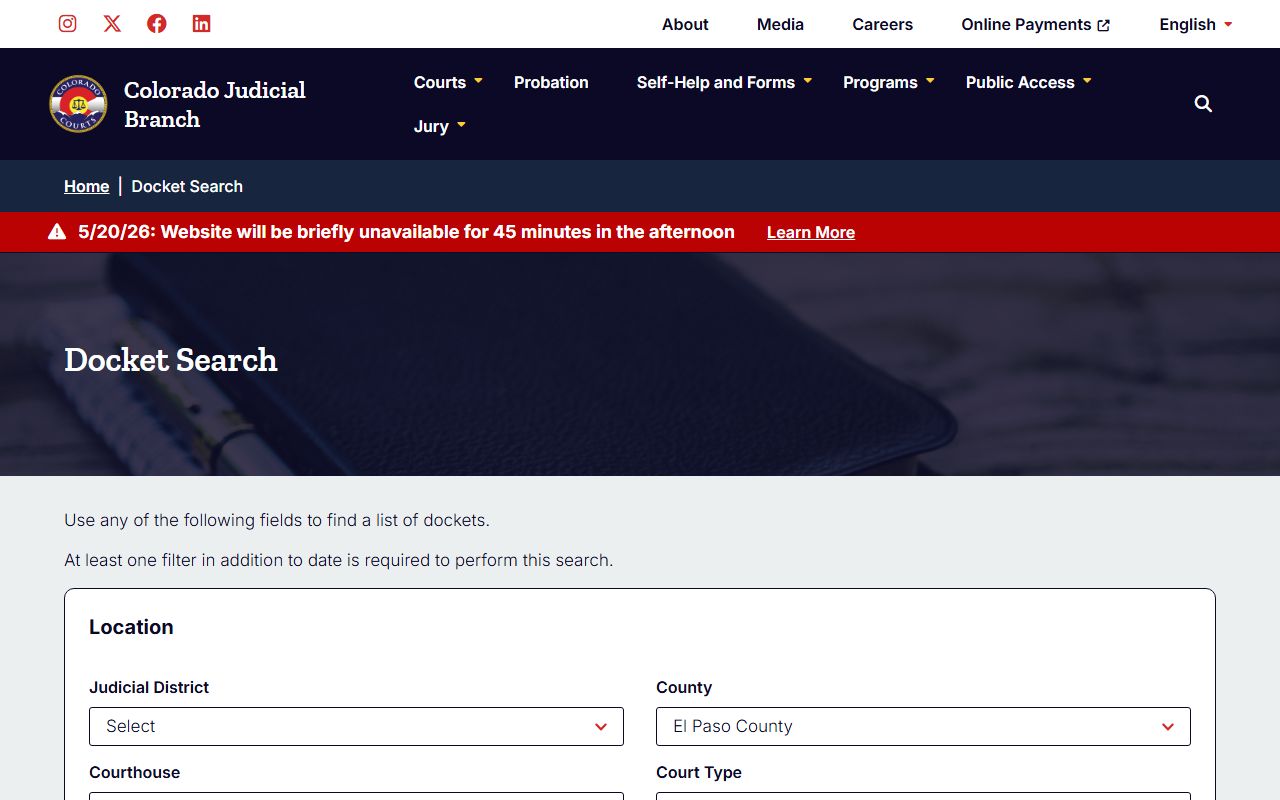
Use that screenshot to spot the case-class dropdown and the party-search radio buttons. Each row in the table below tells the public what to type and which fields the portal needs.
| Field Label | Type | Required | Notes / Format |
|---|---|---|---|
| Judicial District | Dropdown | One filter beyond date | El Paso is the 4th Judicial District. |
| County | Dropdown | One filter beyond date | Select El Paso County. |
| Courthouse | Dropdown | No | El Paso County Judicial Building. |
| Court Type | Radio | No | Both, County, or District. |
| Date Range | Dropdown | Yes | 6 Months, 3 Months, 1 Month, 1 Week, Today, Specific Date. |
| 4-Digit Year | Text | No | Case-number component, e.g., 2026. |
| Case Class | Dropdown | No | C, CR, CV, CW, DR, JD, JV, M, PR, R, S, T. |
| Case Sequence | Text | No | Numeric tail of the case number. |
| Party Search for | Radio | No | Individual or Business. |
| First Name / Last Name | Text | No | Used for individual party search. |
| Business Name | Text | No | Used for business party search. |
| Attorney Bar Number | Text | No | Search by attorney bar registration. |
Types of El Paso County Court Records
The 4th Judicial District produces a wide mix of court records. District court handles felony cases, civil matters above the county-court limit, domestic relations, juvenile, probate, and mental health. The county court takes misdemeanors, traffic, small claims, civil cases within the statutory cap, and protection orders. Each case generates its own register of actions, motions, orders, and final disposition. Some of the document choices on the judicial record request form are grouped by case family, so the case class often tells you which document set is available.
Municipal courts in Colorado Springs and other home-rule cities are not part of the state Judicial Branch and are not indexed in the Judicial docket page. For those tickets, the city court website is the right portal. The records below are the most common requests for El Paso County state cases.
- Civil case records (case classes C, CV, and S): complaints, answers, motions, judgments, transcripts of judgment, satisfactions, protection orders.
- Criminal case records (CR, M, T, R, and JD): complaint or information, plea, sentence order, ticket, register of actions.
- Family law records (DR, JV): divorce decrees, parenting plans, separation agreements, support orders, petitions.
- Probate records (PR): wills, letters, trusts, applications, claims, closing documents, date-of-death.
- Traffic and small claims (T, S): citations, dispositions, fines, hearing notes.
- Specialty court files: Recovery Court and DUI Court files when not sealed.
What El Paso County Court Records Show
A typical El Paso County court record returns a set of standard fields, plus documents tied to the case class. The docket page shows event-level data such as the hearing date and division. The record request form returns the actual documents and the register of actions. Year coverage on the request form goes back to 1873, but older paper files may need off-site retrieval. The table below pairs each visible field with what it represents.
| Field | What It Shows |
|---|---|
| Case Number | Year, case class, and sequence, for example 26CR2237 or 25M7765. |
| Case Class | One letter or pair: C, CR, CV, CW, DR, JD, JV, M, PR, R, S, T. |
| Filing Date | Date the case was opened with the Clerk of Court. |
| Parties | First, middle, and last names; business names if not an individual. |
| Attorney | Name and Colorado bar number for counsel of record. |
| Court / Division | District or county court and the assigned division at 270 S Tejon St. |
| Docket Entries | Hearings, advisements, motions, and orders by date. |
| Documents | Decree, disposition, complaint, will, letters, ticket, or ROA. |
| Disposition | Final outcome: plea, verdict, judgment, dismissal. |
| Fees / Costs | Court fines, restitution, and balance handled by Collections in Room S120. |
Note: Personal data like full Social Security numbers and full account numbers are redacted from public-facing copies under CJD 05-01 and Colorado court rules.
Public Access Framework for El Paso County Court Records
Court file access in Colorado does not run on a single statute. Three frameworks overlap. CORA, the Colorado Open Records Act at C.R.S. § 24-72-201 et seq., covers most state and local public records but is not the rule for court files. Criminal justice agency records such as Sheriff incident reports fall under the Colorado Criminal Justice Records Act at C.R.S. § 24-72-301 et seq. Court records themselves are governed by Chief Justice Directive 05-01, court rules, and case-specific orders, as the Judicial Branch Access Guide explains.
The practical effect is that the Judicial Branch does not post trial-court documents online. The public submits a request through the judicial form, mails or emails the PDF form, or visits the clerk in Room S101. The official guide is shown below. The source is the Colorado Judicial Branch access guide.
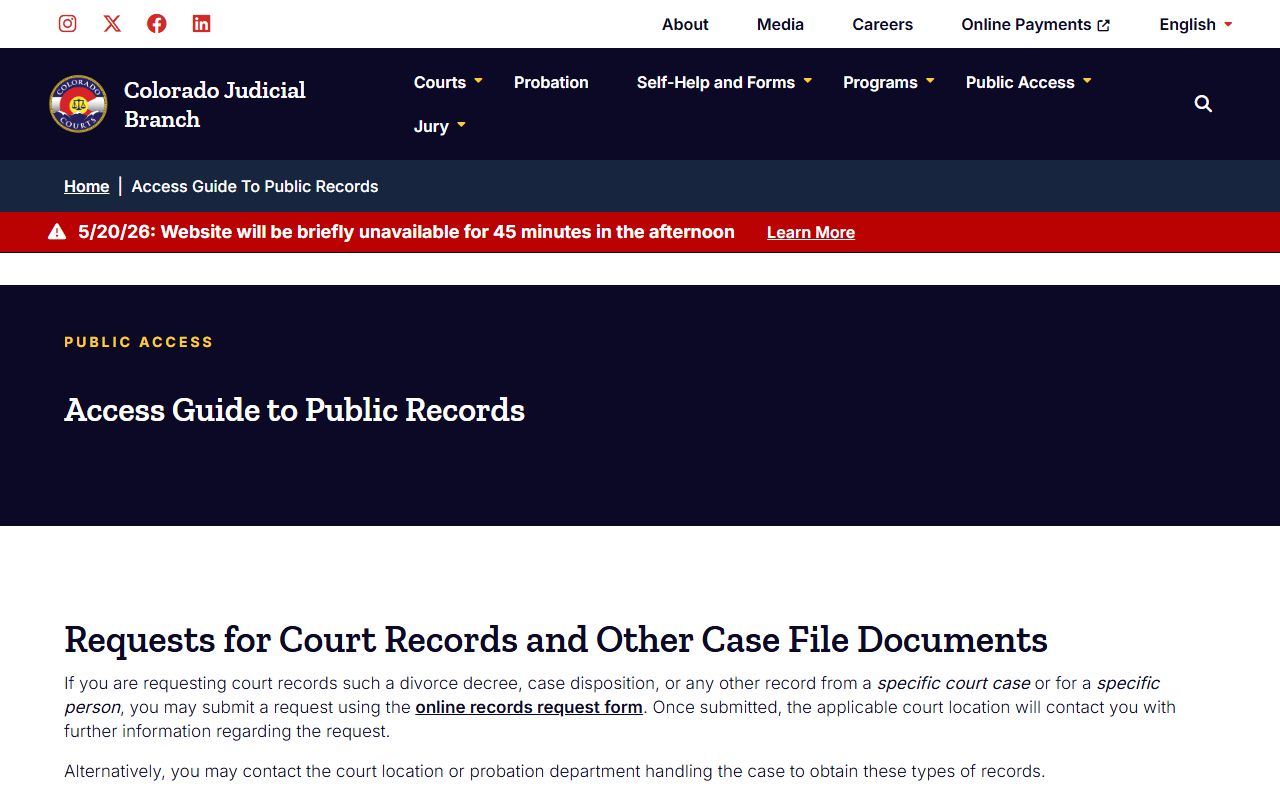
The guide also lays out who can request, how long the court has to respond, and what fees apply. The court generally answers within three business days unless extenuating circumstances delay the work. Custodians may deny inspection under C.R.S. § 24-72-204 when disclosure is contrary to law, privileged, or contrary to the public interest. The CCJRA custodian denial standard at C.R.S. § 24-72-305 governs Sheriff and police records and uses a public-interest balancing test.
Note: Trial-court documents are not posted on the Colorado Judicial Branch site, so even public files take a written request, a fee, and an ID copy.
Records That Are Sealed or Confidential in El Paso County
Some El Paso County court records are not open to the public. Juvenile delinquency and dependency files are restricted under C.R.S. § 19-1-304 and the rest of CRS Title 19. Adoption records are confidential under C.R.S. § 19-5-305. Mental health and protective-proceeding details are limited to parties, counsel, and court-approved persons. Adult criminal records can be sealed by petition or automatically under C.R.S. § 13-3-117 and the broader sealing statutes at C.R.S. §§ 24-72-703 and 24-72-706. The sealed case search page is the place to confirm an automatic seal.
To view a sealed case, a person typically must show legal standing. Defendants asking about their own sealed case must complete a declaration. Law enforcement, prosecutors, and licensing agencies retain limited access for lawful purposes. Suppressed cases on the judicial request form require a U.S. government-issued photo ID. Some probate, mental health, and victim-protection information is removed even from otherwise public files. Body-camera video on open investigations may be withheld or redacted under CCJRA. When a request hits a restricted category, the court or agency will explain the basis and any path for relief.
In-Person Court Record Requests
Walk-in record requests go to the Clerk's Office in Room S101 at the El Paso County Judicial Building. The clerk takes the same record request form used online. Bring a photo ID, the case number if known, and payment. Cash, check, certified funds, and credit cards are accepted at the courthouse, but the form asks requestors not to send card information in the initial form. Pay after the Notice of Fees. The Self-Help Center in Room S116 will not pull files but can walk a pro se filer through forms and procedures.
The screenshot of the request form below comes from the Colorado Judicial Branch online record request page.
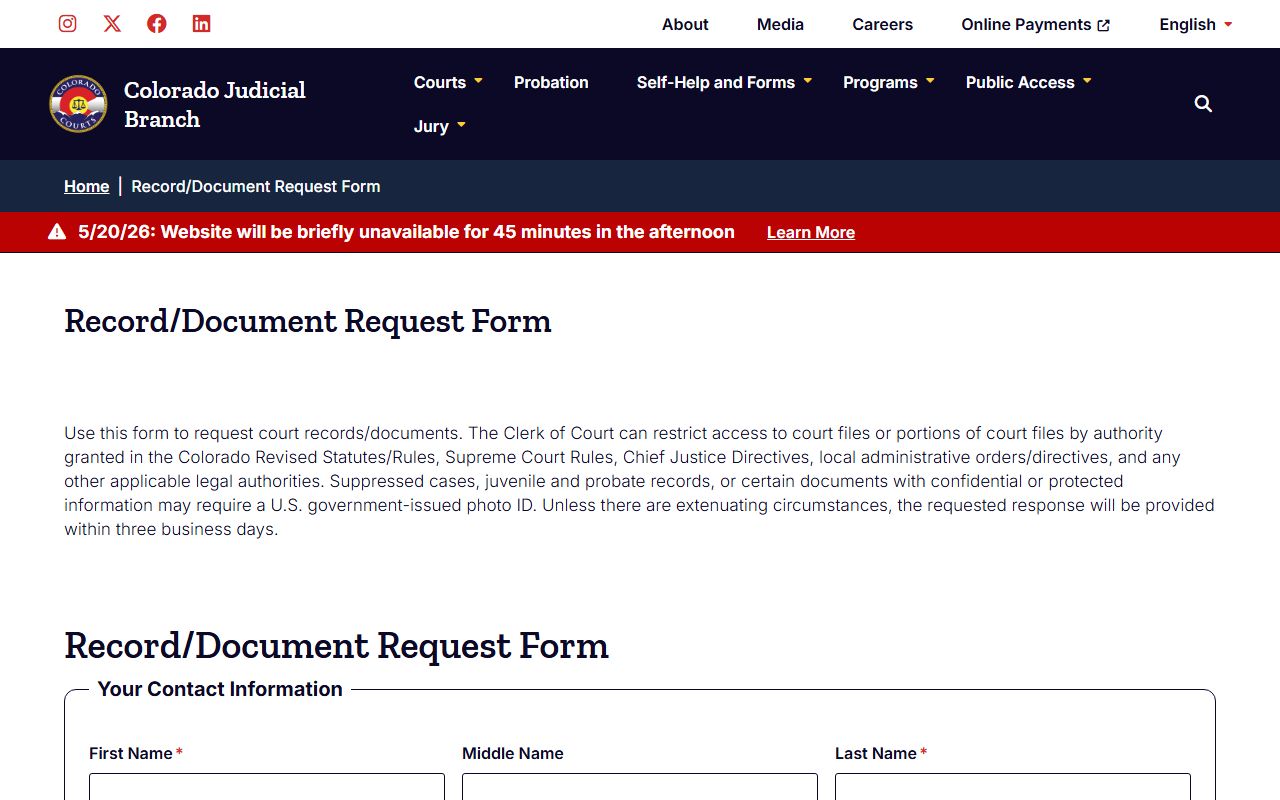
The form lists every document category you can ask for, including ROA, sentence orders, divorce decrees, and probate letters. The fee table at the foot of the form mirrors the in-person fee list at S101.
Clerk of Court, El Paso County Combined Court
Room S101, 270 S Tejon St
Colorado Springs, CO 80903
719-452-5000
Monday-Friday, 7:30 a.m.-4:30 p.m. (early 3:30 p.m. close on most third Wednesdays)
Mail requests go to Research Department, El Paso County Combined Court, Fourth Judicial District, 270 S Tejon, Colorado Springs, CO 80903. Email goes to 04ResearchRequest@judicial.state.co.us. Include a copy of ID. Certified copies ship by U.S. Postal Service mail. Unpaid Notices of Fees expire after 14 days, and the request must be resubmitted.
El Paso County Court Records Fees
Fees follow the statewide judicial record request schedule and apply at the El Paso County Combined Court. Parties and attorneys for their own case are capped at a maximum copy charge. Non-parties have no cap. Research and redaction past the first hour is billed in 15-minute units. Sheriff records use a separate fee scale set by EPSO and CCJRA. The General Assembly's CORA maximum hourly fee page notes the state ceiling rose to $41.37 per hour effective July 1, 2024, but agencies must revise and post their own rates before charging the higher rate.
| Item | Fee |
|---|---|
| Court copy | $0.25 per page |
| Party / attorney copy cap on own case | $15 max |
| Certified or exemplified copy | $20 per document |
| Name search | $5 |
| Transcript of judgment | $25 |
| Certificate of satisfaction | $20 |
| Research / redaction after first hour | $30 per hour, 15-minute units |
| Off-site file retrieval | Actual cost |